2 Free Super Simple Link Building Tips
I’ve recently been looking through my Google Alerts for any new stories about link building and came across an article that took my attention. The author is talking about Google Notebook pages.
What is interesting is that all public Google Notebook pages are indexed. So, it seems we have one more link building opportunity. Arjan Snaterse did a test to see whether Google really values those links.
Well, inspired by Arjan’s story, I decided to do my own research in this area and scrutinize the case myself.
I created my own Google notebook and published it.
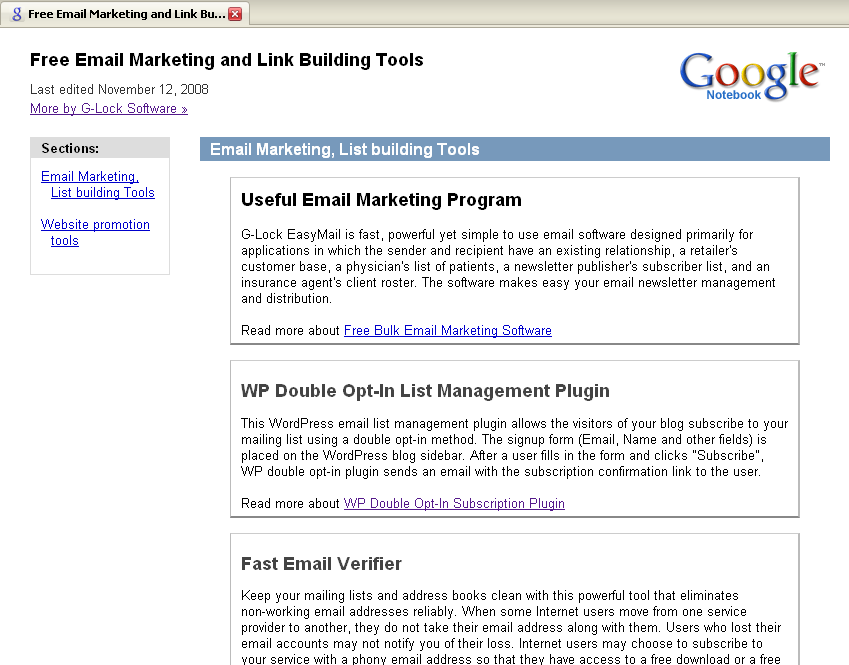
Click on the image to enlarge it
To get my notebook indexed by search engines, I need to have a couple of inbound links to it. So, I used Fast Blog Finder Gold edition, found several DoFollow blogs and posted a few comments on them. When filling in the comment form I entered a link to my Google notebook into the Website URL field.
To tell you frankly I doubt your Google notebook will help you much with ranking well in Google itself. Google most likely filters its website index and doesn’t rank well the websites from its own domain. However, Google is not the only search engine on the net and I’m pretty sure it will work in Yahoo! and MSN.
So, don’t miss such an opportunity to get some additional DoFollow links and move your website higher in SERP. Setup a Google account if you don’t have it yet, create your notebook and work at getting some inbound links to your notebook.
What will you store in your notebook? Following my example you can add links to your most important web pages you would like to give more exposure to. What is nice is that the links in your Google notebook will be all “DoFollow”. But do not spam by adding a huge amount of links to your notebook. It seems Google deletes such notebooks because I found many “404 Error” pages when clicking on the notebook URLs. Make your notebook look natural, include a reasonable amount of links with your best anchor text and you’ll be rewarded.
Secondly, I would not definitely recommend that you store your private information like passwords, user names, and other links you don’t want to be visible to other people in your notebook. After you publish your Google notebook, it will become available for everyone who will come across it using a search engine. So, ensure it doesn’t store any personal or private information.
When creating your Google notebook, you will notice an option to create a user’s profile in your notebook. In your profile you can tell about yourself and upload your photos. But the best thing is that you can also add as many links to your profile as you want. The links in your profile will also be “DoFollow”. Look at my profile below and notice the links to our products at the right side.
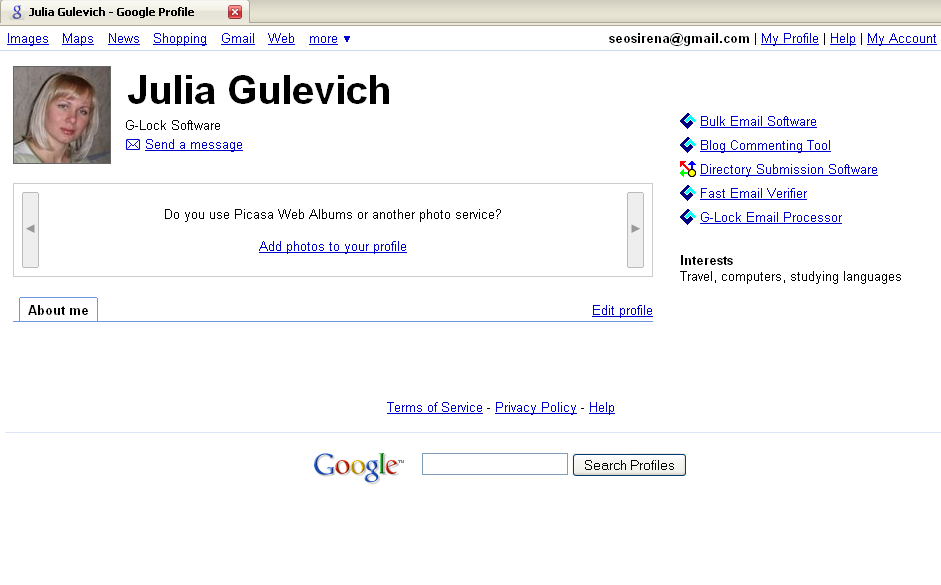
Click on the image to enlarge it
How long will Google notebook and profile work for? Truly, I don’t know. With an increasing amount of web spam, I think Google will take some measures to stop spammers. Anyway, since it works today, why not take some advantage of Google notebook and profile and improve your website ranking?
Please, share your thoughts in comments.
If you enjoyed this post, make sure you subscribed to my RSS feed!
Tags: blog comments, blog finder, find blogs, find dofollow blogs, Link Building, Link Building Tutorials, Search Engine Marketing
Related posts
Filed under: New Link Building Methods, SEO


Very interesting idea that I definitely had not thought of. Will be interesting to see what strength is put into those links.
Excellent tip. I didn’t even know about google notebooks. Thanks for posting!
Great!
I have a keyword that is giving me a little traffic in msn, I will try to boost it with this method. I will coment my improvements.
Remember that first you have to publish your notebook.
Another great post, been using the software for a while now, our link exercise seem to be gaining momentum
Very nice Julia. Any way to build new links is a good way to build links. Like you said though, not sure how much juice we’ll get from these, and i’d be curious to do a test to see what if any results they will provide, but they can’t hurt, thats for sure.
Thanks again.
-Shaun
Cool.
i have read so many link building tips over the past few months. but never heard about this type of link building method.
thanks for this excellent link building tips.
Why do we need to use fast blog finder? Do we really need it for this kind of backlinks?
@ Dizi izle
>Why do we need to use fast blog finder? Do we really need it for this kind of backlinks?
Fast Blog Finder provides you with one more opportunity to build backlinks through blog comments. Fast Blog Finder will find the blogs related to your keywords. You can view the blogs directly in the program and if you like an article on the blog, you can leave your comments. When you write a comment you also enter your website URL on the comment submission form. If your comment is approved by the blog owner, you get one more link to your website.
@ Adam
>Did I miss the 2nd tip? All I saw was the G Notebook link idea, but what was the second one?
The 2nd tip is about Google profile where you can add as many links as you want. See me 2nd screenshot in the article. The links in the profile are also “DoFollow”. Add a reasonable amount of links in order your profile looks natural and not spam.
@ Jeff NLP Training
>Hi I use your directory submitter it works great,but I cannot get my head around the blog comments software. Perhaps I am thick or is it for techies only?
In fact Fast Blog Finder is very easy to use. You just enter the keywords you want to find blogs for and click Start. The program start searching for the blogs. After the search is complete, you will see a list of found blogs on the screen. Fast Blog Finder will also automatically determine the blog type and PR. Then you click on each URL and the page will open in the Preview window. You can read the article on the blog and submit a comment if you like it.
Please, see our video tutorial for more details here:
http://www.fastblogfinder.com/tutorials/how-to-build-backlinks-to-your-site-with-g-lock-blog-finder/
Another great tip. I’ll have to look into that today. While I’m here can anyone explain to me why my links continue to rise and fall sharply in just minutes?
Did I miss the 2nd tip? All I saw was the G Notebook link idea, but what was the second one?
Wow, this is kind of neat. Its like using Google as a kind of minature squidoo. They will develop some kind of algorithm to attempt to determine what a spam profile really looks like in this area.
This reminds me that I have not properly utilized squidoo in this same sense either.
I did a test a few minutes ago Julia to see if I could find you, but perhaps it takes a few days/weeks before google puts it into their own listing.
Julia,
I’m really surprised Google has those links set to follow. Hopefully they will leave it that way and people will use Notebook responsibly. You know as soon as too many people start loading their notebook pages with tons of links Google will tire of deleting notebooks and change the rules.
Mike
Joan, how specifically did you publish the notebook?
Does not using the save function at the bottom of the screen accomplish this?
I’d used Google Notebook with Firefox extension from the browser status bar but I’d never shared anything. Took me a bit to find the ’share’ button but opening full page reveals it . Nice tip thanks.
Mikes last blog post.. Features of Clean Red Widgets
Another insightful post Julia. As with any third party sites that allow dofollow links you have to make use of them where you can. Don’t overdo it, but there is no sense in missing opportunities.
Julia, this is the first I had heard of Google Notebooks, and I can definitely see the value you’re talking about here. Done correctly, it seems to me you can get quite a few backlinks, and as you say, not just from Google.
Thanks for the great tip.
@Dizi, you don’t need to use it, but I think in the example above Julia was saying that in order to quickly get her work recognized, she used fast blog finder to very quickly find high PR links ( which get spidered daily if not hourly ) and that have no nofollow tag in order to get her google notebook page recognized quickly.
Try doing that manually and it could take you an hour to find any high pr blog without nofollow tags.
I did the same thing. 3 backlinks put on PR4 dofollow blogs in about 30 minutes with nice long 4 paragraph relevant comments in each.
Hi Julia
Thank you for these tips. In all honest, I can’t imagine these to have much of an effect but I do believe it is worth doing as another source to give your ‘net profile’ a boost.
Cheers
Adrian
Hi, that is a nice trick and informative post. But i think if you put the incoming url to the notepad out of your blog many blogger will see how this will work. Perhaps google will change the rules of this functionality.
Thanks for your idea, I am going to try it, I am using the free version of fast blog finder and works very well. I am serius thinking in buy gold edition. I am happy when you email me to give me a good idea
Excellent Linking Tip!
I was completely unaware of Google Notebook and it’s function.
Thank you for another wonderful Link Building Tip!
Best,
David
This program is great, there is no doubt about it. I know that it saves time, time is money. I’ve used it myself not even that long yet but it’s very easy to use. I’d say it’s the most effective way to obtaining blog commenting links, trust me you do not want to have to hunt for blogs to find the PR is too low or has nofollow tags.
Just do it right, and not to mention PLEASE do NOT spam everyones blogs. Spend the time to read the article and make a relevant comment. After-all, if you want your link to stick, you need to invest in there page too.
Hi I use your directory submitter it works great,but I cannot get my head around the blog comments software. Perhaps I am thick or is it for techies only?
Jeff
I’ve seen sites such as geocities link to competitors of mine. Curious if there’s any benefit from links from old sites such as this. Perhaps not as geocities is a well used webhost. Thanks for the google tips, doesnt hurt to bolster an existing position.
well, google notebook works a bit like social sites, so yes, sure it helps, especially if you post a comments on a bit older page … so, adding a few social links to some of your new-found links will surely help to get google to re-index that page and so make your link count
Neat idea but why not just put the link back to your site instead of going to Google Notebook. Then you get the value from Google also? If I were to do this I would have that link go to a blog that I have instead of Google Notebook then I get the value from google also.
Julia,
I always love getting your emails notifying me of your new blog posts. I use Google for so many things but I had no idea that they had a notebook. I’m going to check this out. The more backlinks to my pages the better I rank…
You articles and posts are very informative and I appreciate the new ideas…
Thank you,
Deb
the title of article is 2 link building tips however you have only explained one here
This seems to be a simple free source for useful links.
Do you get a double boost by getting a lot of links into the Notebook?
Thanks for the tip, always enjoy your post. You’re one of a very few that actually give out good actionable advise that anyone can follow. Sad to say but Google notebook has been sitting idle in my list of Google charms, now it’s time to put it to work.
Thanks Julia!
I didn’t know Google notebook exist until this post. I have been using the free edition of Fast Blog Finder and I think it works well. I am seriously considering upgrading to the gold edition. Keep those useful posts coming please!
Nice find, are you experimenting to find out if Google excludes notebook links?
Hi Julia,
This is a very nice tip. Interestingly I have used notebook for sometime now but never thought of publishing it and liking it as you suggest.
BTW, Goolge also has the Knol service - that works like Squidoo, if we have users that are not aware of.
Great post. Some fantastic information!
Any back link has to be worth chasing, especially as its with google. After all, they have good PR. I will definetely being doing this myself, so thank you for the advice.
Also:
As google mail is free to set up, surely it makes sense to open a few accounts and have multiple notebooks on the go, without being caught up in the spam crowd?
If the content is good and the links are relative and of quality, I cannot see google classes it as spam.
Anyway, thanks again. A very good post.
Wishing you great success.
Sincerely,
John Adams
If Google really filters out these, I don’t think many people would be convinced to use Google Notebook as a link building opportunity. Although it might be good for Yahoo! and other search engines, Google is still the largest search engine.
@ Butch from Tumbleweed
You said, “Neat idea but why not just put the link back to your site instead of going to Google Notebook. Then you get the value from Google also?”
Google’s notebook similar to squidoo is probably a PR7 moving towards PR8 domain. If your personal website is already a PR6, ignore what i am about to say.
Julia has found a way of allowing one to piggyback on an extreme high PR site. Pages created directly on such a site will tend to move towards the domains full PR rating over time. To speed the process up incredibly, Julia suggested, quite brilliantly, that one give this “high potential PR page” a little link juice. That page’s potential to then move towards a PR3 very rapidly becomes magnified by the weight of its domain. Keep feeding it a little more link juice regularly and surprise surprise - it could go to a PR5.
Try doing that to your own domain and you will find that you need between 500-1000 juice links to get to a PR5 and even that is not always guaranteed.
Wow, besides the fact that that is a really good tip, I have never even heard of Google notebook before . . . AND I am really surprised that google has all of those links as dofollow, when it seems like google tends to always apply the nofollow tag on their services to external links. Great stuff here, and I will definitely take advantage of this tip!
Julia, you mentioned “To tell you frankly I doubt your Google notebook will help you much with ranking well in Google itself. Google most likely filters its website index and doesn’t rank well the websites from its own domain.”
On a positive note, I have now seen many Google notebook entries slipping into the top 10 if you search for names. Perhaps because facebook and linkln are publicly allowing their public entries to attract high PR, so perhaps Google will also continue to allow their own “faces” to improve comparatively.
The google notebook profiles are fortunately still showing up high in the search results… touch wood.
“On a positive note, I have now seen many Google notebook entries slipping into the top 10 if you search for names. ”
Could you share some examples?
I haven’t seen any google notebook entries for the top page of anything but ultra niche keywords (where it’s really only THE google notebook and nothing else).
Care to provide a few examples Dino (not critiquing just interested)?